+49 (0) 89 2154 7447
Provenexpert
★★★★★
Google
★★★★★

Shopware Plugin Hide Footer Logo

Hide Footer Logo Shopware Plugin | BrandCrock

If you want to hide default Shopware footer logo or footer logo on your website then just install shopware plugin Hide Footer Logo . Shopware theme comes with default Shopware logo which is displayed in footer.This plugin gives you the choice to enable or disable footer logo.

Link to download https://store.shopware.com/en/brand99748660236/hide-footer-logo.html

Please let us know about you reviews and feedback, if you require further assistance regarding this plugin or other Shopware related issues, just drop us an email or contact us. info@staginglatest.brandcrock.com

Please find more details about BrandCrock Shopware Plugin development on Shopware Plugin Development section.

More from our latest blogs

Can Shopware be used as a B2B shop framework?

Good News Yes, it is possible to use as B2B shopware shop framework, but not

Shopware Alan Bradford Jul 11, 2018

Shopware to a PIM system via API interface

Shopware Open-source and Shopware well documented API, make its easily possible to connect a PIM

Shopware Alan Bradford Jul 11, 2018

What additional features does Shopware Enterprise Edition have

Compared to the other versions, the Shopware Enterprise Edition  is such a complex program that

Shopware Alan Bradford Jul 11, 2018

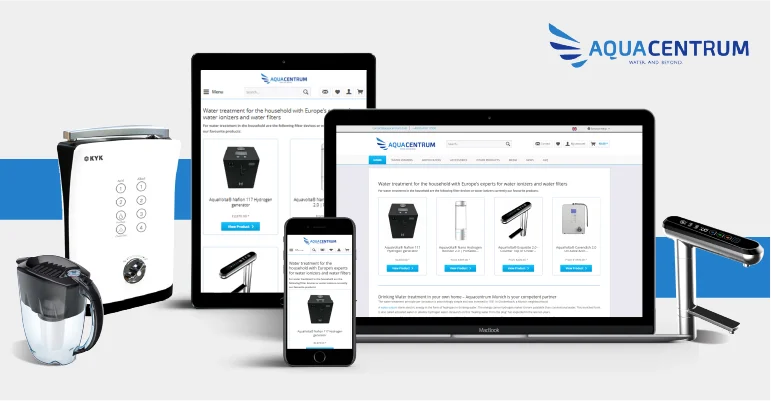
Aquacentrum Relaunch with Shopware

Brandcrock GmbH  proudly announces the relaunch of new multilingual E-Commerce website based on Shopware for aquacentrum munich.

Shopware Vaid Ali Jul 10, 2018
1 39 40 41 42 43
Scroll to Top